
Our Blog
Wireless Card Terminal Review for Busy Merchants
November 24th, 2026
Friday dinner service is not the time to find out a card terminal loses its Wi-Fi connection near the patio, runs out of battery before the last table closes, or cannot send a tip correctly to your POS. A useful wireless card terminal review has to look beyond the device’s purchase price. For restaurants, bars, breweries, and retailers, the right terminal protects checkout speed, staff confidence, and the customer experience.
A wireless terminal can move payment to the table, curbside, booth, sales floor, or event line. That flexibility is valuable, but only when the hardware, processor, POS system, and support plan actually work together. The lowest advertised price can become expensive quickly if it brings higher processing rates, a long contract, poor reporting, or a device your staff avoids using.
What This Wireless Card Terminal Review Measures
The best wireless card terminal is not automatically the smallest or the most feature-heavy. It is the one that fits how your business takes orders and gets paid. A quick-service restaurant may need an affordable, durable terminal that moves through a line fast. A full-service restaurant needs handheld payments that accurately handle seat numbers, split checks, tips, and table status. A retailer may care more about barcode scanning, inventory integration, and mobility around the sales floor.
Start with the job the terminal must do during your busiest hour. If employees only need a backup terminal at a counter, a basic wireless unit may be enough. If servers will carry it table to table all night, the screen, payment flow, battery, and POS integration become much more important.
Handheld terminals versus mobile readers
A dedicated handheld terminal is built for repeated business use. It typically has a larger screen, a physical or virtual keypad, receipt options, and stronger connectivity choices. Many models can run payment apps, restaurant ordering tools, or purpose-built POS software. They cost more upfront, but they usually make more sense for a busy dining room, bar, or mobile operation.
A mobile card reader connects to a phone or tablet. It can be a practical entry point for a pop-up shop, food truck, seasonal business, or occasional event seller. The trade-off is that employees depend on a personal or shared mobile device, and the checkout experience may be less consistent. If the phone battery dies, gets misplaced, or loses its connection, payment stops with it.
Countertop terminals with wireless capability sit in the middle. They give you a familiar payment station but can be moved when needed. This setup is often a good fit for a retail counter, host stand, or bar where staff need mobility occasionally rather than throughout every shift.
Check Connectivity Where You Actually Take Payments
“Wireless” can mean Wi-Fi, cellular service, Bluetooth, or a combination of those options. Do not assume one method will cover your building. Restaurants with thick walls, patios, basements, walk-in coolers, and crowded dining rooms often have Wi-Fi weak spots. Retailers may face similar issues in stockrooms, outdoor sales areas, or large floor plans.
Wi-Fi terminals are usually economical and fast when the network is properly configured. They also depend on the quality of your internet and wireless network. A terminal that shares a weak guest network with dozens of customers can create avoidable payment delays.
Cellular terminals use a carrier connection and can keep taking payments when your local internet goes down. That is a major advantage for food trucks, delivery businesses, market vendors, and businesses that cannot afford to stop taking cards during an outage. However, cellular plans add a monthly cost, and coverage varies by location. Test the specific carrier signal inside your building, not just in the parking lot.
Offline mode deserves careful attention. Some terminals can store transactions temporarily when a connection fails and submit them later. That can keep a shift moving, but it does not guarantee approval. If a transaction is declined after the fact, your business may absorb the loss. Ask exactly how offline payments work, what limits apply, and who carries the risk.
Battery Life Is an Operations Issue
Battery claims often look good on a product sheet. Real-world battery performance is different when a device runs at full screen brightness, stays connected to cellular data, prints receipts, and processes payments for ten straight hours. For a bar with a long night shift or a restaurant that uses handhelds for both ordering and payment, battery life is not a minor detail.
Ask whether the terminal can last through your longest shift, how quickly it charges, and whether spare charging cradles are available. A charging station at the host stand or server station can prevent a scramble. If the battery is removable, confirm the price and availability of replacements.
Also consider how the device feels in a server’s hand. A terminal that is too heavy, slippery, or awkward will get dropped. A protective case may be worth the added cost, especially in high-volume hospitality settings where spills and hard floors are part of the job.
POS Integration Must Be Proven, Not Promised
This is where many terminal decisions go wrong. A device may technically accept payments, yet still create extra work because it does not communicate cleanly with your POS. If employees must enter totals twice, reconcile tips manually, or switch between screens during a rush, the system is not saving time.
For full-service restaurants, confirm that the terminal can pull the correct check, preserve seat assignments, support partial payments, manage split checks, and send tip data back to payroll or reporting. For bars, test fast tab handling and tip prompts. For retailers, confirm that discounts, returns, loyalty programs, gift cards, and inventory data behave correctly.
A good provider should be willing to walk through your actual workflow. Do not settle for a generic demonstration. Give them a realistic transaction: a table of six splitting a bill three ways, a bar tab with a cash tip adjustment, or a retail return tied to a gift card. The answer should be clear before you sign an agreement.
Processing Costs Matter More Than Terminal Price
A $99 terminal is not a bargain if it locks you into high processing rates, inflated monthly fees, or expensive equipment terms. The device and the merchant account need to be reviewed together.
Look at your full monthly statement, including interchange, processor markup, authorization fees, PCI-related charges, gateway fees, monthly minimums, wireless data plans, and any compliance or service fees. Ask whether the terminal requires a specific processor and whether pricing can be adjusted as your volume changes.
Equipment agreements deserve the same attention. A fair purchase or month-to-month arrangement may give you flexibility. A lengthy non-cancelable lease can cost far more than the terminal is worth. If the agreement is hard to explain in plain language, pause before moving forward.
Test the Customer Experience at the Point of Payment
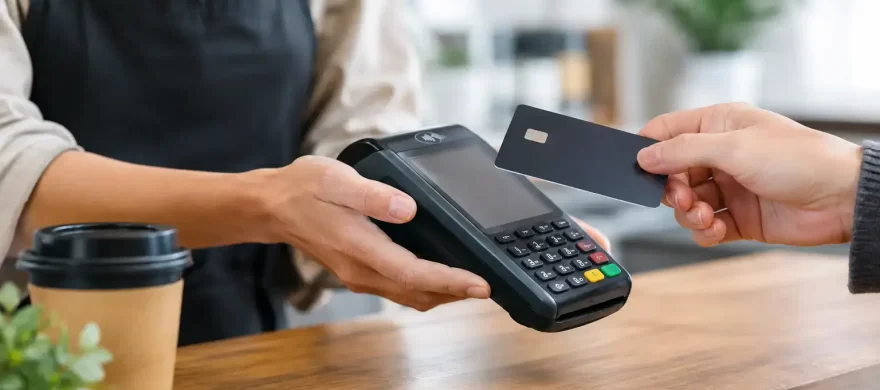
Customers expect tap-to-pay to work quickly, whether they use a card, phone, or watch. A terminal should accept EMV chip cards, contactless payments, and digital wallets without confusing prompts or excessive screen steps. A slow payment interaction at the table can undo the benefit of bringing payment directly to the guest.
The tip screen should match your business model. Restaurants and bars need sensible suggested-tip options and the ability to customize them. Retailers may prefer a less prominent prompt or a different flow. Receipt delivery matters too. Digital receipts can reduce paper and speed the line, while printed receipts remain useful for some guests and business records.
Accessibility and readability count. Employees and customers should be able to see the screen in bright light, dim dining rooms, and busy checkout areas. Small text and cluttered screens create mistakes that turn into voids, refunds, and frustrated staff.
Support and Setup Are Part of the Product
A wireless terminal is only as reliable as the help behind it. When a device fails at 7:30 p.m. on a Saturday, a generic support queue is not much comfort. Find out who handles installation, menu setup, device replacement, employee training, and emergency troubleshooting.
Before selecting a provider, get direct answers to four questions:
- Who installs and configures the terminal at our location?
- Will our team receive hands-on training before the first busy shift?
- What support is available after business hours?
- If a terminal fails, how quickly can we get a replacement?
For Denver hospitality businesses, local service can make a meaningful difference. Rocky Mountain Credit Card Processing works with merchants that need more than a box shipped to the door. The right setup includes matching the terminal to the POS, reviewing processing costs, training the team, and staying available after installation.
Make the Terminal Earn Its Place
A wireless card terminal should shorten payment time, not add another system for staff to manage. Run a real-world test, review the complete processing agreement, and involve the employees who will use the device every day. The best choice is rarely the flashiest terminal. It is the one that keeps service moving, gives customers an easy way to pay, and leaves you with fewer surprises on your monthly statement.