
Our Blog
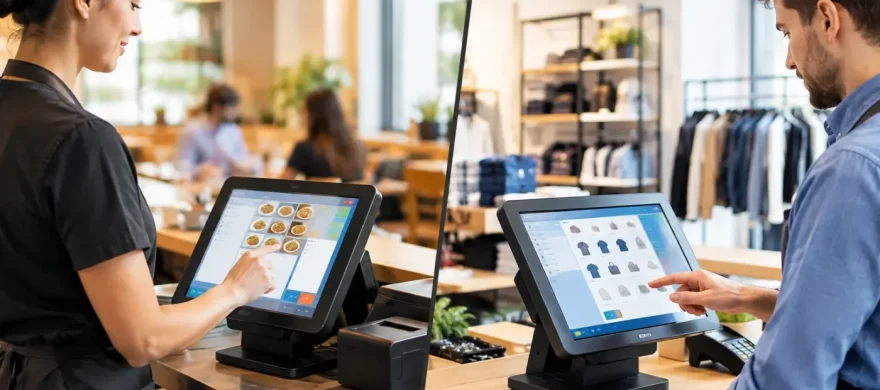
Restaurant POS vs Retail POS: Which Fits You?
September 15th, 2026
The wrong POS system shows up fast during a Friday dinner rush or a packed weekend sale. Servers wait on modifiers, managers hunt for an open check, cashiers struggle with returns, and the monthly bill keeps climbing. The restaurant POS vs retail POS decision is not mainly about which screen looks better. It is about choosing technology that matches how your business actually sells, serves, tracks inventory, and gets paid.
A restaurant can usually force a retail system to take payments. A retail store can usually ring up a sale on a restaurant system. But forcing the fit often creates slow workarounds, training problems, and features you are paying for but never use.
Restaurant POS vs Retail POS: The Core Difference
Restaurant POS systems are built around service flow. They need to move an order from the guest to the kitchen or bar, handle changes without confusion, keep tabs open, split checks accurately, and help managers understand labor and food costs. A busy dining room has moving parts that a standard checkout counter does not.
Retail POS systems are built around product flow. Their job is to identify an item quickly, apply the correct price or promotion, manage stock by SKU, process returns, and keep product counts accurate across a store, warehouse, or online channel. The center of the transaction is the item, not the order.
That distinction affects nearly every part of the system. A coffee shop that sells pastries, merch, and canned beverages may need elements of both. A brewery with table service, a taproom, and take-home merchandise may need a restaurant-first system with solid retail inventory tools. There is no prize for choosing the most feature-heavy platform. The best choice is the one that removes friction from the work your team performs all day.
What a Restaurant POS Needs to Handle
A restaurant POS should make the order-to-payment process faster and clearer for the front of house, kitchen, bar, and management team. The basics start with table maps, seat positions, open tabs, split payments, discounts, tips, and the ability to transfer checks between employees or stations.
Orders, modifiers, and kitchen communication
Modifiers are where generic systems often fall apart. A server needs to enter “no onions,” “add avocado,” “sauce on the side,” and a temperature request without slowing down or creating a confusing ticket. The system should route each part of that order to the right kitchen printer or kitchen display screen.
For a bar, speed matters just as much. Bartenders need quick access to common drinks, tabs, age prompts where appropriate, and tip options that are easy for guests to understand. If staff have to memorize workarounds for basic orders, the POS is working against your operation.
Table service and payment flexibility
A full-service restaurant needs more than a payment terminal. It needs a reliable way to manage tables from seating through closeout. That includes combining checks, splitting an entrée between guests, moving a guest to another table, and applying a discount with the proper manager approval.
Handheld payment devices can also be a major operational decision. In the right setting, they reduce trips back to the terminal, turn tables faster, and let guests pay at the table. They are not automatically the right answer for every concept, though. A counter-service restaurant may get more value from an efficient fixed terminal and a clean customer-facing display.
Labor, menu, and food-cost visibility
Restaurant operators need reporting that reflects real service decisions. Sales by menu item, category, server, daypart, and dining area can help identify what is selling and what is not. Labor tools may support scheduling, time clocks, overtime tracking, and payroll exports.
Inventory is also different in food service. A retail system might count a bottle as one unit. A restaurant may need to track portions, recipes, yields, waste, and ingredients used across several menu items. Not every restaurant needs advanced recipe costing on day one, but a growing operation should understand what it will need six months from now.
What a Retail POS Needs to Handle
Retail operations depend on accurate product information and dependable inventory counts. A retail POS should make it easy for an employee to scan an item, locate a variant, apply a promotion, accept payment, and issue a receipt without a long line forming at the counter.
SKU, barcode, and variant management
Retailers typically manage large item catalogs. A single shirt may come in several sizes and colors. A specialty store may carry thousands of products from multiple vendors. The POS needs clean SKU management, barcode scanning, purchase-order support, vendor details, and item variants that staff can find without guessing.
This is especially important when stock is limited or seasonal. If the system says an item is available when it was sold yesterday, staff lose time searching and customers lose confidence.
Inventory and returns
Restaurant inventory often measures ingredients and portions. Retail inventory measures sellable units and replenishment. A retail POS should show what is on hand, what is committed to an order, what has been received, and what needs to be reordered.
Returns are another major difference. Retailers need clear policies, receipts or customer lookup, return reasons, exchanges, store credit, and controls that prevent abuse. A restaurant may issue a comp or void. A retailer needs a documented return process that protects margin and keeps customers satisfied.
Omnichannel sales and customer records
If you sell in-store, online, at pop-ups, or through social channels, inventory synchronization matters. A good retail setup prevents separate systems from creating double sales or inventory mismatches. Customer profiles, loyalty programs, gift cards, and targeted offers can also be useful, but only if staff can use them without holding up the line.
Where the Two Systems Overlap
Both restaurant and retail POS systems should accept EMV cards, contactless payments, mobile wallets, gift cards, and properly secured online transactions when needed. Both should provide useful sales reporting, employee permissions, tax settings, and reliable hardware.
Processing costs matter in both environments, too. A lower-priced POS subscription does not necessarily mean lower total cost. Payment processing rates, monthly account fees, terminal fees, PCI-related charges, gateway costs, and contract terms can change the real number substantially.
This is where business owners should slow down. Do not evaluate a POS system only by the advertised monthly price or a temporary hardware offer. Look at the complete operating cost and how difficult it will be to get help when something stops working during business hours.
How to Choose Without Creating a New Problem
Start with your busiest hour, not your quietest one. Watch how an order or sale moves through your business from the moment a customer walks in until the transaction is closed. That process will tell you more than a software demo alone.
For restaurants, ask whether the system handles your service model: counter service, table service, delivery, bar tabs, catering, or a mix. Confirm that modifiers, kitchen routing, tip handling, split checks, and manager controls work the way your staff needs them to work.
For retail, test item lookup, barcode scanning, returns, variants, receiving, and inventory reporting. If e-commerce is part of the plan, ask exactly how product counts and orders stay synchronized. Do not assume every integration is automatic or included.
Then look at implementation. A system can have the right features and still fail if menus are entered poorly, printers are not configured correctly, employees are rushed through training, or nobody is available after installation. Hands-on setup and local support can be worth far more than a slightly cheaper online offer.
Questions to Ask Before You Sign
Before choosing any POS provider, get direct answers to these questions:
- What are the full monthly costs, including software, processing, equipment, support, and compliance fees?
- Is the payment processor required, and what happens to pricing after any introductory period ends?
- Can the system support our specific workflow during our busiest shifts?
- Who installs the system, trains staff, and handles support when there is a problem?
- Can we export our menu, inventory, customer, and sales data if we change systems later?
The answers should be specific, not vague promises about flexibility or savings. If a provider cannot explain the costs and support process clearly before the sale, that usually will not improve after installation.
Get the Fit Right Before You Commit
A restaurant POS should help your team serve guests quickly, keep orders accurate, and maintain control during the rush. A retail POS should keep product, pricing, and inventory under control while making checkout easy. Hybrid businesses need a closer look because one workflow almost always drives the operation more than the other.
Rocky Mountain Credit Card Processing helps Denver-area operators evaluate the system, hardware, payment processing, and support requirements together, rather than treating them as separate decisions. The practical goal is simple: reduce avoidable costs and give your employees tools that make their shift easier.
Before you replace a system or sign a new processing agreement, walk through a real transaction with your team. The right POS should feel less like another task to manage and more like a dependable part of the business you already know how to run.