
Our Blog
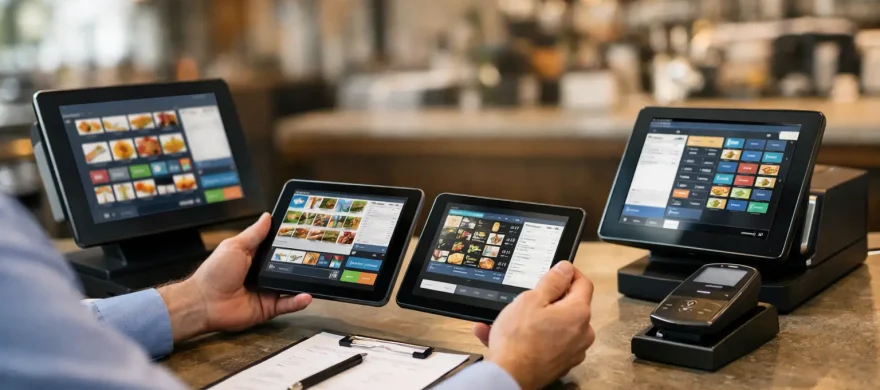
Restaurant POS System Selection Process
July 1st, 2026
A busy Friday dinner rush is a terrible time to find out your POS can’t split checks cleanly, print to the right kitchen station, or keep online orders from clogging the line. That is why the restaurant POS system selection process matters so much. The right system helps servers move faster, managers solve fewer problems, and owners keep a tighter grip on costs. The wrong one does the opposite, and usually at the worst possible time.
Most restaurant owners do not need more features. They need fewer headaches. That means choosing a POS system based on how the restaurant actually runs, not on a polished sales demo or a long list of tools that may never get used. A good selection process keeps the focus where it belongs – service speed, labor efficiency, reporting, payment costs, and support when something goes wrong.
Why the restaurant POS system selection process goes wrong
The most common mistake is shopping backward. Owners often start by asking which brand is most popular, which tablet looks easiest to use, or which system has the flashiest loyalty add-on. Those questions are understandable, but they are not the first ones to answer.
A better starting point is operational reality. A quick-service restaurant has very different needs than a full-service concept, brewery, or multi-location bar. Counter service, table service, tabs, modifiers, coursing, handheld ordering, self-order kiosks, online ordering, and kitchen routing all create different demands. If the system does not fit the floor, the menu, and the staff workflow, even a well-known platform can turn into an expensive frustration.
Another issue is that many businesses evaluate POS software separately from payment processing. That often leads to higher monthly costs, awkward integrations, and support finger-pointing between vendors. For restaurants, the POS and the payment side need to work together from the beginning.
Start with your service model, not the hardware
Before comparing screens, terminals, or pricing, define how the restaurant operates during peak hours. That is when weaknesses show up. If your team handles high ticket volume in short windows, speed at the order screen matters more than fancy back-office extras. If you run a full-service dining room, table management, split checks, seat positions, and modifier flow become more important. If you have a bar, quick tab handling and easy card preauthorization may matter just as much as dining room features.
This is also the point where you need to be honest about staff turnover and training time. Some systems look impressive in a demo but take too many taps to complete common tasks. In a restaurant, every extra step adds up. A POS should help new hires get comfortable quickly, not turn basic transactions into a training project.
The right question is simple: what does your staff need to do fast, accurately, and repeatedly every day? Start there, and the field of options gets smaller in a useful way.
Build your selection around the real pain points
A solid restaurant POS system selection process should solve current problems, not just replace aging equipment. For most operators, those problems fall into a few categories: long ticket times, poor reporting, difficult menu updates, online order confusion, support delays, and rising processing fees.
If your kitchen gets backed up because orders are not routed clearly, focus on kitchen display and printer logic. If your managers spend too much time fixing inventory or sales reports, prioritize reporting that is easy to access and understand. If you are losing money on fees, review the processor relationship as closely as the POS itself.
This part matters because trade-offs are real. A system with excellent reporting may have a clunky front-end. A system with a smooth ordering experience may need extra tools for loyalty or advanced inventory. There is rarely a perfect platform. There is, however, a best fit for your operation.
What to evaluate in a restaurant POS system selection process
Once your operational needs are clear, evaluate systems in a practical order.
First, look at order entry speed. Can servers and cashiers move through modifiers, combos, split tickets, and payment screens without hunting around? Restaurants live on repetition. If daily actions are slow, everything downstream gets slower too.
Next, review payment flow. The system should support the way your guests pay today, whether that means contactless payments, EMV, mobile wallets, split tenders, or tabs. Payment problems are not just annoying. They slow table turns, create guest frustration, and can increase chargeback risk.
Then look at reporting and control. Owners and managers should be able to see sales by item, labor trends, voids, discounts, and shift performance without exporting data into a spreadsheet every time they need answers. Good reporting saves time, but it also improves decision-making on labor, menu pricing, and promotions.
After that, consider menu management and integrations. If menu updates are frequent, changing items and prices should be straightforward. If your business depends on online ordering, loyalty, gift cards, accounting sync, or inventory tools, verify those connections carefully. “Integrates with” can mean very different things depending on the vendor.
Finally, ask hard questions about support. When the system goes down at 7:15 on a Saturday night, who answers the phone? How fast can they help? Is support local, outsourced, or limited to a ticket queue? Restaurants do not need vague promises here. They need a clear support path.
Pricing is more than the monthly software fee
One of the biggest traps in the selection process is looking only at the advertised monthly subscription. That number is rarely the full cost. Hardware, installation, menu programming, training, add-on modules, gateway fees, payment processing rates, and contract terms all affect the real monthly and long-term expense.
This is where owners need to slow down and compare total cost, not teaser pricing. A lower software fee can be offset by higher card processing costs. A bargain hardware package can turn expensive if support is weak or if the system requires constant workarounds. Cheap upfront is not always cheap over 12 or 24 months.
For many restaurants, the smartest move is to evaluate POS and processing together. That gives you a clearer picture of actual cost and avoids a setup where the software vendor blames the processor and the processor blames the software vendor.
Don’t skip the demo test
A real demo should look like your restaurant, not a generic sales presentation. Ask the provider to walk through your actual service scenarios: a split check with modifiers, a bar tab, a void with manager approval, an online order flowing to the kitchen, or a lunch rush with quick card payments.
This is also the time to involve the people who will use the system. A manager may care most about reporting and permissions. A server may notice that the modifier flow is awkward. A cashier may immediately spot if checkout takes too many steps. These observations are useful because they show what daily use will really feel like.
If possible, ask what implementation looks like after the sale. Installation, menu setup, payment gateway configuration, staff training, and go-live support all shape whether the rollout is smooth or painful. A good system can still fail if onboarding is rushed.
Why local guidance can make the difference
For restaurant operators, especially independent and growing multi-unit businesses, the best outcome usually comes from having someone translate business needs into the right POS fit. That is different from simply buying software. It means looking at service style, payment costs, growth plans, and support expectations as one decision.
That hands-on approach is often where businesses save the most money and avoid the biggest mistakes. Rocky Mountain Credit Card Processing works with restaurants that are tired of overpaying, dealing with weak support, or getting pushed into systems that do not match the way they operate. The goal is not to sell the most complicated setup. It is to recommend the right one, get it installed correctly, train the staff, and make sure the system actually helps the business run better.
A restaurant POS should reduce friction, not add to it. If your current setup is slowing service, confusing staff, or inflating costs, that is not just a technology issue. It is an operations issue. The best time to fix it is before the next rush reminds you again.