
Our Blog
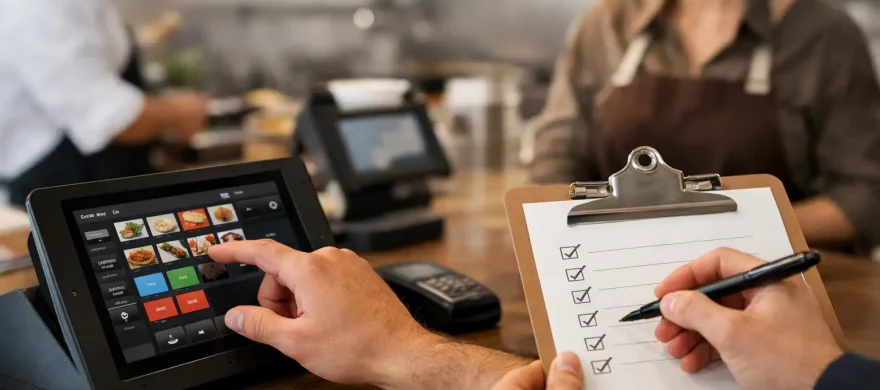
Restaurant POS Onboarding Checklist
June 13th, 2026
The first dinner rush with a new POS is not the time to find out modifiers are missing, printers are routed wrong, or your staff does not know how to split a check. A solid restaurant POS onboarding checklist keeps those problems from showing up when the line is out the door and every minute counts.
For restaurants, onboarding is not just installing hardware and handing out logins. It is the process of making sure the system fits your menu, your floor, your staff, and your payment flow before you rely on it during live service. If that work gets rushed, the cost shows up fast in comped items, slow turns, training headaches, and frustrated guests.
Why a restaurant POS onboarding checklist matters
Most owners only switch systems when the old one has become a daily problem. Maybe support is weak, processing fees keep creeping up, or the POS takes too many taps to do basic tasks. That usually means expectations are high for the new setup. The problem is that even a good system can disappoint if onboarding is sloppy.
A restaurant POS should do more than ring in orders. It needs to support table service or counter service, online orders, tips, modifiers, kitchen routing, reporting, and end-of-day reconciliation without making staff work harder. That takes planning. A checklist forces the right conversations early, before bad setup choices become expensive habits.
It also helps you separate what is essential from what is optional. Some operators get sold on features they may never use, while the basics like menu accuracy, printer setup, and employee permissions are treated like minor details. In practice, those details decide whether launch week feels controlled or chaotic.
Start with operations, not software features
Before anyone talks about terminals, tablets, or payment gateways, map out how your restaurant actually runs. A quick-service counter has different needs than a full-service dining room. A brewery with tabs open all night needs a different payment flow than a lunch cafe trying to move a line quickly.
This is where many onboarding projects go off track. The software gets configured around a demo, not around the real business. Your checklist should begin with service style, average ticket size, peak periods, menu complexity, and how staff move through the building. If your kitchen has multiple prep stations, routing rules matter. If bartenders handle a high volume of split checks, that workflow needs to be tested early.
It also helps to identify the pain points that pushed you to change systems in the first place. If high processing costs are part of the problem, onboarding should include a clear review of rates, card-present versus card-not-present volume, and whether the payment setup supports your actual mix of transactions. If training was the issue, ease of use and role-based permissions should move higher on the list.
The core restaurant POS onboarding checklist
A useful restaurant POS onboarding checklist covers four areas: hardware, software configuration, payments, and people. Miss one, and the rest usually suffer.
Hardware should match the floor
Start with the physical setup. Terminals need to be placed where staff can actually use them without creating bottlenecks. Printers, kitchen display systems, handhelds, cash drawers, barcode scanners, and routers should be tested in the real environment, not just turned on in a back office.
Restaurants often underestimate network stability. If your Wi-Fi drops in the patio, bar, or far dining room, handheld devices will struggle when you need them most. Cabling, internet redundancy, and failover options matter more than they sound like they should. A sleek terminal does not help much if the network underneath it is unreliable.
You should also confirm power access, mounting needs, and backup procedures. If a terminal goes down during service, your staff should know what the fallback process is right away.
Menu build is where speed is won or lost
Your menu needs to be entered accurately, but accuracy alone is not enough. The structure should make sense to the people using it at full speed. Categories, item names, modifier groups, combos, happy hour pricing, tax rules, and forced prompts all need to be set up with service in mind.
This is where trade-offs come in. Too few prompts can create order mistakes. Too many prompts can slow everyone down. The right setup depends on your concept. A bar with simple pours and tabs may want fewer screens. A restaurant with allergy-sensitive menu items may need more forced choices to protect accuracy.
Test the menu with actual staff, not just managers. If servers keep hunting for common items or modifiers, the layout needs work. If bartenders need multiple extra taps to close a standard tab, that issue should be fixed before launch, not after a weekend of complaints.
Payment setup needs more than a test swipe
A lot of restaurant frustration starts here. Payment acceptance should be configured around your real transaction flow, including EMV, contactless, mobile wallets, gift cards, online ordering, and tipping. A successful test transaction is only the beginning.
You also want to verify tip adjustment timing, pre-authorization settings, split tender options, refunds, voids, and manager approvals. If you run bar tabs, test those. If you take deposits for events or private dining, test those too. If your restaurant does both dine-in and takeout, make sure reporting separates them cleanly enough for accounting and operational review.
This is also the right stage to review processing statements and fee structure. Operators are often so focused on going live that they do not look closely at how the payment side is set up. That is a mistake. A POS that works well but carries avoidable processing costs still hurts the business every month.
Staff permissions and training should be role-based
Not everyone needs access to everything. Servers, bartenders, hosts, shift leads, and managers should have permissions that match their responsibilities. That reduces mistakes and protects against fraud or accidental overrides.
Training should follow the same logic. A single general walkthrough is rarely enough. Bartenders need bar-specific tasks. Servers need table management, coursing, and check handling. Managers need reporting, edits, comps, refunds, and end-of-day procedures. If you train everybody the same way, the result is usually confusion.
Short, practical sessions work better than long information dumps. Run common scenarios: split checks, item voids, discounts, offline payment situations, gift card redemption, and closing duties. Then have staff practice in the system themselves. Watching a demo is not the same as building muscle memory.
Test before you go live
The biggest mistake in POS onboarding is assuming setup equals readiness. It does not. Your checklist should include a full pre-launch test in a realistic service environment.
Run sample tickets from different ordering points. Make sure kitchen items print or display at the correct stations. Test modifiers, timing, discounts, taxes, tips, and receipts. Open and close checks. Split them several ways. Process a refund. Void an item. Clock staff in and out. Pull basic reports. If online ordering or third-party integrations are part of your operation, test those as well.
A soft launch helps. That might mean going live on a slower shift, training one team first, or operating with extra floor support for the first few services. There is no universal rule here. A small cafe may switch in a single day. A high-volume full-service restaurant may need a more controlled rollout. What matters is reducing surprises when volume hits.
What owners should watch during the first two weeks
The first days after launch tell you whether onboarding was done well. Watch ticket times, order error rates, average check flow, payment disputes, and how often managers are pulled into simple POS questions. If staff keep asking for help with the same task, that is usually a setup or training issue, not an employee problem.
Look closely at reporting too. Sales categories, labor tracking, tip totals, and settlement reports should line up with expectations. If numbers look off, fix them early. Small setup issues become bigger accounting problems when they sit for a month.
It also helps to collect feedback by role. Managers often focus on control features and reporting. Staff notice speed issues first. Guests notice payment friction. All three matter, and they do not always point to the same fix.
A checklist is only as good as the support behind it
Some onboarding problems are preventable with better planning. Others only show up once the system meets a live shift. That is why support matters as much as the checklist itself.
Restaurants do not need a provider that disappears after installation. They need somebody who understands how service works, can adjust setup when real-world problems show up, and can help keep both operations and processing costs in line. That hands-on approach is where many operators see the biggest difference, especially when they have been burned before by poor follow-through.
If you are changing systems, treat onboarding like an operational project, not a tech purchase. The restaurants that get the best results are usually the ones that take a little more time upfront to make sure the POS fits the business, the payment setup makes financial sense, and the staff can work confidently from day one. Rocky Mountain Credit Card Processing has built its work around exactly that kind of practical support.
A new POS should make service easier, not give your team one more thing to fight through during a busy shift.