
Our Blog
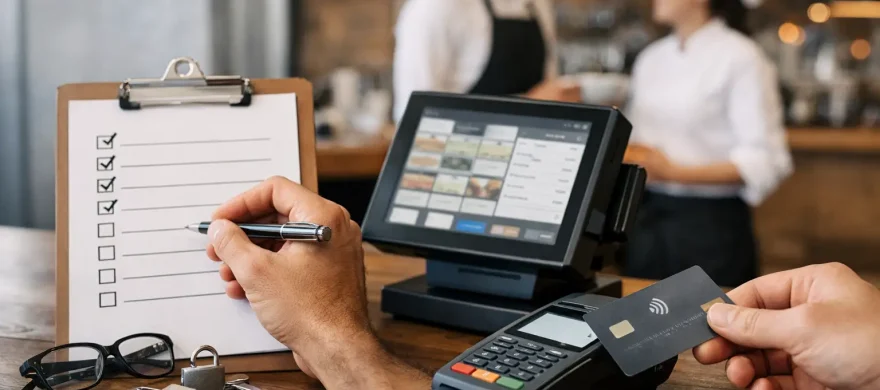
12-Step Restaurant PCI Compliance Checklist
July 13th, 2026
Friday dinner service is not the time to discover that a POS tablet has missed security updates, a former employee still has a login, or a bartender wrote down a card number to run later. For a restaurant, payment security has to work during the rush, not create another operational burden. This restaurant pci compliance checklist gives owners and managers a practical way to protect card data without losing sight of service, staffing, and costs.
PCI compliance refers to the Payment Card Industry Data Security Standard, or PCI DSS. It applies to any business that accepts, stores, processes, or transmits card payments. The requirements can feel technical, but the daily work often comes down to a few fundamentals: use the right equipment, limit access, keep systems updated, and give your team clear rules.
Restaurant PCI Compliance Checklist: 12 Actions That Matter
1. Know where card data enters your operation
Start by mapping every place a guest can pay. That includes countertop terminals, handheld devices, online ordering, QR-code ordering, gift card systems, phone orders, catering deposits, and third-party delivery integrations.
A restaurant can have a secure countertop terminal and still create exposure through an outdated online ordering page or a staff member keying card numbers into an unsecured back-office computer. You cannot protect payment data well until you know where it moves. Keep a current inventory of every payment device, application, and vendor involved in taking payments.
2. Use PCI-validated payment terminals and POS software
Your payment terminal, gateway, and POS system should be supported by their providers and configured for current security requirements. EMV chip acceptance is essential, but it is not the same as full PCI compliance. EMV helps reduce certain types of counterfeit card fraud. PCI DSS covers the broader security controls around your entire payment environment.
Avoid buying used or unverified payment terminals online. A device may be outdated, tampered with, or unable to receive security updates. Work with a payment provider that can confirm that equipment is properly deployed, encrypted, and supported.
3. Never store sensitive card data unless there is a valid business reason
For most independent restaurants, the safest approach is simple: do not store card numbers, card verification codes, or magnetic-stripe data. Do not write card information on reservation notes, event worksheets, order tickets, or paper logs. Never retain the CVV code after authorization.
If you need a card on file for deposits, no-show policies, or recurring catering invoices, use tokenization through your payment system. A token lets your system reference a payment method without keeping the actual card number in your restaurant’s records. This is one of the most effective ways to reduce your PCI scope.
4. Separate payment systems from general business devices
A POS network should not be treated like the same network used for guest Wi-Fi, personal phones, streaming music, or office browsing. Segmentation helps contain risk if another device on the network is compromised.
The right setup depends on your POS architecture. A cloud-based system may reduce the amount of payment data touching local equipment, while a more complex on-premise setup may require tighter network controls. Either way, your installer or IT partner should be able to explain what is connected, how it is protected, and who is responsible for maintaining it.
5. Change default passwords and control administrator access
Default router, POS, and terminal passwords are an easy opening for criminals. Change them during installation, use unique passwords, and restrict administrator-level access to the people who truly need it.
Do not share a single manager login across the entire leadership team. Individual accounts create accountability and make offboarding much easier. When a manager, server, or vendor no longer needs access, remove it promptly. This is especially relevant in hospitality, where turnover is part of the business.
6. Give every employee the minimum access needed
A host should not have the same system permissions as an owner. A server may need to open and settle checks, but not edit tax settings, export reports, or change payment configurations. Permission settings should match the job.
Review user access at least quarterly and whenever responsibilities change. A quick review is far less painful than investigating why a former employee can still access the POS remotely or why too many people can issue refunds without approval.
7. Keep POS devices, routers, and computers updated
Security updates are not optional maintenance. They address known weaknesses that criminals actively look for. Set operating systems, POS software, browsers, firewalls, and network equipment to receive updates according to vendor guidance.
The trade-off is real: restaurant operators do not want an update disrupting a busy shift. Schedule planned maintenance outside of service hours, test major updates when possible, and make one person accountable for confirming they were completed. Skipping updates indefinitely is not a workable alternative.
8. Protect physical terminals from tampering
Card skimmers and swapped terminals remain a practical threat, particularly in busy bars, patios, and counter-service locations where many employees handle equipment. Train opening and closing staff to look for loose parts, unfamiliar cables, broken security seals, or a terminal that suddenly looks different.
Keep a simple device log with the make, model, serial number, and location of each terminal and handheld. If a device is moved, replaced, or sent for repair, document it. Staff should know who to call and what to do if anything looks suspicious: stop using the device, preserve it, and report it immediately.
9. Secure your Wi-Fi and remote access
Guest Wi-Fi should be separate from business and payment networks. Use strong encryption, change network equipment credentials, and disable remote access features that are not necessary.
Remote support can be useful when a POS issue needs fast attention, but it must be controlled. Give vendors access only when needed, use unique credentials, and remove access when the work is done. Convenience should not mean leaving an open door into your system.
10. Train staff on the payment rules they actually face
A one-time compliance handout does not prepare staff for a slammed shift. Training should cover the situations that happen in restaurants: what to do when a terminal is down, how to handle a phone order, why card numbers cannot be written down, how to identify a suspicious device, and who can approve refunds or manual entries.
Keep the training short and repeat it during onboarding and periodic team meetings. Managers should also understand phishing risks. A fake email requesting a password reset or a call from someone claiming to be POS support can lead to a payment-data incident just as quickly as a compromised terminal.
11. Complete the right PCI validation requirements
Most merchants must complete an annual Self-Assessment Questionnaire, known as an SAQ, and an Attestation of Compliance. The correct SAQ depends on how you take payments and whether your systems store, process, or transmit card data.
Do not guess which questionnaire applies. An incorrect SAQ can leave security gaps and create trouble after a breach. Some merchants also need quarterly network vulnerability scans by an approved scanning vendor. Your processor or payment advisor can help identify the validation path, but the restaurant remains responsible for the accuracy of its compliance information.
12. Build a response plan before something goes wrong
If you suspect a payment device, POS account, or network has been compromised, speed matters. Your plan should identify who contacts the payment processor, POS provider, IT support, and bank. It should also explain who has authority to take a device offline or disable employee access.
Keep incident contacts available outside the POS system itself. Document what happened, when it was discovered, and which systems may be involved. Do not erase logs or attempt to investigate beyond your expertise. Preserving information helps the appropriate parties contain the issue and determine the next steps.
Make PCI Compliance Part of Restaurant Operations
PCI compliance is not a folder that gets opened once a year. It is part of how you set up a new terminal, add an online ordering partner, onboard a manager, and remove access when someone leaves. The best payment setup limits the amount of sensitive data your restaurant handles in the first place, so your team has fewer opportunities to make an expensive mistake.
For Denver restaurants that are frustrated by a complicated POS setup or unclear processor guidance, Rocky Mountain Credit Card Processing can help review the payment environment alongside the operational realities of your business. The goal is not to burden staff with technical jargon. It is to put the right systems, permissions, training, and support in place so payment security holds up when the dining room is full.
A good next step is to walk through this checklist with the person who manages your POS and your most recent processor paperwork. The gaps that matter most are usually not hidden in complicated policy language. They are often sitting in a shared password, an overlooked handheld, or a payment process everyone assumes someone else is managing.