
Our Blog
How to Accept Mobile Payments at Your Business
July 27th, 2026
A guest is ready to pay, but the card reader is slow, the terminal is out of reach, or the checkout line is backing up. Knowing how to accept mobile payments gives customers a faster way to pay and gives your staff one less obstacle during a busy shift. For restaurants, bars, breweries, retail shops, and service businesses, that can mean better throughput, fewer abandoned purchases, and a smoother final impression.
Mobile payments are not a separate payment world that requires a complicated setup. In most cases, they work through the same merchant account and POS environment you already use. The key is choosing hardware, software, and processing support that fit how your business actually operates.
What counts as a mobile payment?
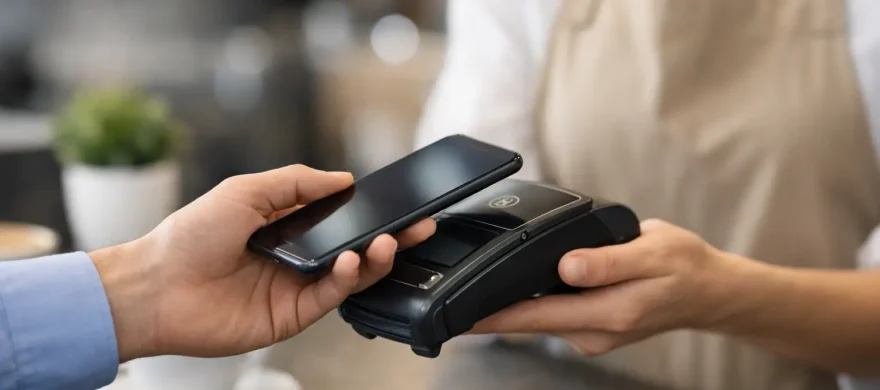
For most merchants, mobile payment acceptance means taking contactless payments from a customer’s phone or smartwatch. A customer holds their device near a compatible card reader, verifies the purchase with a passcode, fingerprint, or face scan, and the transaction is authorized. Common digital wallets include Apple Pay, Google Pay, and Samsung Wallet.
Mobile payments can also include pay-by-link invoices, QR-code ordering and payment, or a staff member taking payment on a mobile device at the table or curbside. These options solve different problems. A tap-to-pay terminal at the counter may be all a quick-service cafe needs, while a full-service restaurant may benefit from handheld devices that let servers close checks at the table.
The practical question is not whether mobile payments are available. Most modern payment systems support them. The question is where accepting them will remove friction for your customers and staff.
Start with your checkout flow, not the hardware
A payment terminal can look impressive and still create problems if it does not match your operation. Before selecting equipment, look at where and when customers pay.
At a retail counter, a customer-facing contactless reader should be visible, stable, and easy to reach. Staff should not need to turn the terminal around, explain where to tap, or stop scanning items to troubleshoot the device. For a bar, speed matters even more. A reader that accepts a tap in seconds can keep a rush moving, but only if the POS handles tabs, tips, and receipts without adding extra steps.
Full-service restaurants need to consider table service. Handheld POS devices can reduce trips back and forth to a stationary terminal, help servers split checks accurately, and let guests pay before the server leaves the table. That can shorten table turn times, but handhelds also need reliable Wi-Fi, charging procedures, durable cases, and staff training.
For mobile businesses, contractors, pop-ups, and patio service, portability may be the priority. A compact reader paired with a phone or tablet can work well, provided it has dependable cellular or Wi-Fi connectivity and is tied to a properly configured merchant account. The cheapest option is not always the least expensive once downtime, support gaps, and higher processing rates enter the picture.
Choose a POS and reader that support contactless payments
To accept a phone or smartwatch payment, you need a contactless-enabled reader. Look for equipment that supports NFC, which is the technology behind tap-to-pay transactions. Most readers show the contactless symbol – a set of curved lines – near the tap area.
If you are replacing an older magnetic-stripe or chip-only terminal, confirm that your new device supports all three common card-present methods: chip, tap, and swipe. Swipe is still useful as a backup in limited situations, while chip and contactless payments provide stronger security features for normal in-person sales.
The reader also needs to work with your POS and payment processor. This is where many merchants get boxed into an expensive or restrictive arrangement. Some systems require proprietary hardware, some have limited processor choices, and some charge more for using a different processing partner. Ask those questions before signing an agreement, not after your equipment is installed.
A good setup should make mobile payments feel like a normal part of checkout. The payment total sends to the terminal, the guest taps, the system confirms approval, and the receipt and tip prompts follow your existing process. Your team should not be manually keying totals into a separate app or reconciling multiple systems at the end of the night.
Set up payment processing correctly
The terminal is only one part of the transaction. Behind it is your merchant account, payment gateway or POS connection, processor, and bank deposit process. If any of those pieces are poorly configured, mobile acceptance can turn into another monthly expense without improving service.
Review your current processing statement before making changes. Look beyond the advertised rate. Monthly fees, equipment fees, PCI-related charges, gateway fees, batch fees, and markup over interchange all affect your actual cost. A low terminal price does not offset a processing plan that steadily raises your bill.
You should also confirm how deposits, tips, refunds, and chargebacks will appear in your reporting. Restaurant operators especially need to know whether tipped transactions settle properly, whether cash-discount or surcharge settings are compliant with their program rules, and how payment data flows into accounting or payroll reports.
If you use online ordering, delivery platforms, or stored customer cards, make sure those channels are accounted for as well. Your in-person mobile wallet transaction may be simple, but your broader payment setup should not create separate reporting silos.
Make security part of the installation
Customers use mobile wallets partly because their payment credentials are protected by tokenization. Instead of passing the actual card number through the transaction in the same way as a traditional card payment, the wallet uses a unique payment token. That is a meaningful security advantage, but it does not eliminate the merchant’s responsibilities.
Use EMV-capable, PCI-compliant equipment. Keep POS software and terminals updated. Give each employee an individual login rather than sharing a manager code, and limit access based on job duties. A bartender or cashier should not have the same ability to issue refunds or change system settings as an owner or general manager.
Physical security matters too. Check terminals regularly for damage or unauthorized attachments, especially at unattended or high-volume locations. Secure tablets and handhelds when they are not in use. If a device is lost, your provider should be able to help you disable it quickly.
Avoid treating PCI compliance as a paperwork task that can be ignored until there is a problem. It is a set of practical controls that reduce risk and help protect your business when something goes wrong.
Train staff for fast, confident checkout
The best mobile payment setup fails if employees are unsure how to use it during a rush. Training does not need to take hours, but it should cover more than how to point at the tap symbol.
Show staff how to recognize a successful contactless transaction, when to ask a guest to tap again, and what to do if a device cannot read. Teach the difference between a declined transaction and a connection issue. Make sure they know how tips, receipts, split payments, refunds, and voids work in the new workflow.
For hospitality businesses, run practice transactions during a slower shift. Let servers and bartenders use the handheld or terminal before it is placed into service on a Friday night. Small points of confusion become expensive when a line is six people deep or every table is ready to close out at once.
A clear fallback process is equally important. If Wi-Fi drops, who checks the connection? If one handheld runs low on battery, where is the backup? If a contactless payment will not read, can the guest insert their chip card without starting the entire transaction again? Answers should be simple enough that staff can act without calling the owner.
How to accept mobile payments without adding cost or complexity
Mobile acceptance should improve the customer experience, not become a reason to accept confusing contracts or inflated fees. When comparing providers and POS systems, ask direct questions about equipment ownership, contract terms, support availability, processing markup, and integration limits.
Be cautious of a system that promises a low monthly price but locks you into long equipment leases, unclear cancellation terms, or a processor you cannot leave. Also be cautious of a bare-bones reader that works well for occasional sales but cannot support your reporting, staff permissions, menu management, or rush-hour volume.
For many Denver-area restaurants and retailers, the right answer is a configured POS and merchant account with local implementation support. Rocky Mountain Credit Card Processing helps businesses evaluate the full picture: payment costs, required hardware, POS fit, installation, staff training, and ongoing service. That approach matters because the best system on paper is not useful if it creates more work at the counter.
A simple rollout plan
Once you have selected compatible equipment and a processing setup, test it before making it part of every shift. Process a small number of transactions using different wallets and cards. Confirm that receipts, tips, taxes, reporting, and deposits appear as expected.
Then introduce the new workflow deliberately. Put simple tap-to-pay signage near the checkout area, tell staff what is changing, and make sure chargers and backup devices are in place. Watch the first several days closely. You may find that a terminal needs to be repositioned, a receipt prompt needs adjustment, or certain staff roles need different permissions.
Mobile payments are a small checkout change with an outsized operational effect when they are implemented well. Start with the friction your customers and staff feel today, then build a payment setup that makes getting paid quicker, clearer, and easier to manage.