
Our Blog
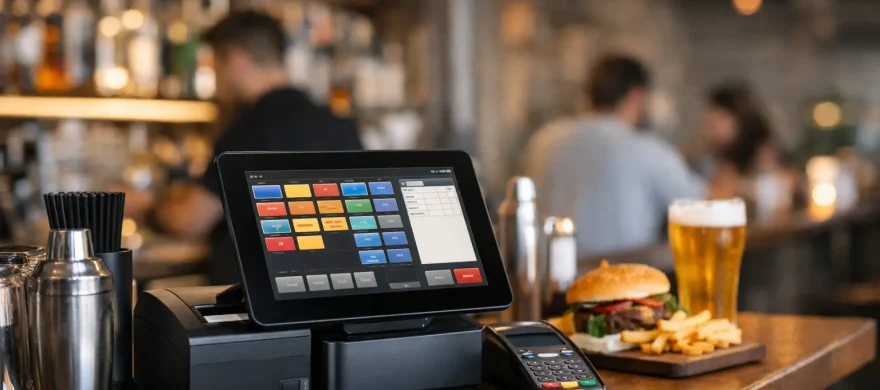
Free POS Software for Restaurant and Bar
June 8th, 2026
If your current POS is slow, your staff hates it, and your monthly bill keeps climbing, the phrase free pos software for restaurant and bar sounds pretty appealing. On paper, it promises lower overhead, faster setup, and less risk. In practice, free can be useful, but only if you know what you are actually getting and what you will still end up paying for.
That matters more in hospitality than almost anywhere else. A retail checkout is one thing. A Friday night bar with split tabs, modifier-heavy orders, happy hour pricing, tips, kitchen tickets, and servers moving fast is something else entirely. The wrong system does not just annoy your team. It slows tables, creates mistakes, and quietly eats profit.
When free POS software for restaurant and bar setups makes sense
There are situations where free POS software is a reasonable starting point. If you are opening a small coffee counter, taproom, food truck, or limited-service concept with a simple menu and a tight budget, a no-cost software plan can help you get up and running. It can also make sense for a brand-new operator who needs to prove the concept before investing in a more advanced setup.
Free plans are usually most helpful when your operation is simple. Think basic order entry, card acceptance, digital receipts, and a small number of users. If you are not running a full-service dining room, managing complex floor plans, or needing deep reporting across multiple revenue centers, you may be able to operate comfortably on a lighter system for a while.
The keyword there is while. Many businesses outgrow free software faster than expected. What works during opening month often starts breaking down once volume picks up, staff grows, and customers expect speed.
What free usually includes and what it usually does not
Most free POS offers are not truly free in the broad sense. The software may have a no-monthly-fee entry tier, but there are usually limits around hardware, users, features, payment processing, or support. That does not make the offer bad. It just means you need to read it like an operator, not like a shopper.
A typical free plan may include core checkout functions, a basic item library, simple reporting, and one register or device. That can cover the basics for a small operation. Where the trade-offs start showing up is in the areas restaurants and bars rely on every day.
You may find that advanced table management is locked behind a paid plan. The same goes for ingredient-level inventory, online ordering, customer loyalty, staff permissions, payroll integrations, or multi-terminal syncing. Some platforms also keep the software free only if you use their in-house payment processing, which may or may not be the most cost-effective rate for your business.
That last point matters. Owners often focus on software fees because they are easy to spot. Processing fees are where the larger dollars tend to live. Saving $69 a month on software does not help much if your effective processing rate is quietly higher than it should be.
The real cost question is not software alone
A restaurant POS should be judged by total operating cost, not by whether the software line says free. Hardware, implementation, payment processing, chargeback handling, support, training time, and downtime all count.
For example, a free app on a tablet might look like the cheapest route. But if it cannot handle your kitchen printer setup, forces awkward workarounds for split checks, or crashes during peak service, the labor cost and lost sales add up fast. The same goes for weak reporting. If you cannot quickly see sales by category, labor trends, or void activity, you are making decisions with one eye closed.
This is where a lot of operators get frustrated. They were trying to save money, which is the right instinct. But they end up with a system that costs more in the places that hurt the most: speed, service, and support.
Free POS software for restaurant and bar operators has clear trade-offs
Free systems are rarely built to serve every hospitality model equally well. A quick-service sandwich shop has very different needs from a sports bar, brewery, or full-service restaurant. Before choosing any platform, it helps to be honest about how your business actually runs.
If you need open tabs, seat positions, coursing, bar-specific modifiers, age verification prompts, tip adjustments, kitchen routing, or handheld ordering, free software may start to feel thin. Some systems can technically do these things, but not smoothly. In a restaurant or bar, smooth matters. A few extra taps on every order adds up over a shift.
Support is another common weak spot. Free plans often come with limited onboarding and slower support access. That may be manageable until something goes wrong on a Saturday night. At that point, the difference between generic support and hands-on help becomes very real.
There is also the issue of staff training. Owners sometimes assume a simpler, cheaper platform will be easier to learn. Not always. If the interface is clunky or the workflow does not match restaurant reality, training takes longer and errors stick around longer.
How to evaluate a free POS without getting burned
The best way to evaluate free POS software is to pressure-test it against your busiest hour, not your quietest. A demo that looks fine at noon on a Tuesday can fall apart during dinner rush.
Start with order flow. Can your staff enter common orders quickly? Can they handle modifiers without hunting through screens? Can they split checks, transfer tables, adjust tips, and close tabs without awkward workarounds? If the answer is technically yes but practically painful, keep looking.
Then look at hardware requirements. Some free systems only work well on specific tablets, card readers, or printers. Others seem hardware-flexible until you realize key functions require branded equipment. Make sure you price the full station setup, not just the app.
Next, review the reporting. You do not need fancy dashboards for the sake of it, but you do need reports that help you control the business. Daily sales, item mix, labor visibility, voids, comps, payment types, and server performance are not luxury features. They are management tools.
Finally, ask direct questions about payment processing. Are you locked into one processor? What is the effective rate, not just the teaser rate? Are there separate PCI fees, batch fees, gateway fees, or support fees? Hospitality owners are often sold on the front-end savings and then surprised by the back-end costs.
When it is smarter to skip free and choose the right fit
There is nothing wrong with starting lean. But there is a point where the better move is not the cheapest monthly option. It is the system that fits the operation and keeps costs under control across the whole business.
If you are running a full-service restaurant, high-volume bar, brewery with food service, or multi-location concept, you will usually be better served by a POS setup that is built around your workflow and paired with competitive processing. That does not mean chasing the most expensive system. It means choosing one that handles hospitality well, trains staff quickly, and gives you support when you need it.
This is also where local guidance can save time and money. An experienced payments and POS advisor can look at your ticket size, service model, volume, and staffing realities and tell you pretty quickly whether a free platform is enough or whether it is going to create more problems than it solves. For many Denver-area operators, that kind of practical support matters more than a flashy feature list.
The best answer depends on what you need the system to do tonight
Free POS software can be a smart starting point for a small, simple operation. It can also be a costly distraction for a restaurant or bar that needs speed, accuracy, and dependable support. The difference comes down to fit.
If a system saves you a monthly fee but slows down service, limits reporting, or locks you into expensive processing, it is not really saving you money. If it helps you run orders cleanly, train staff fast, and keep your total costs in line, then free may be perfectly fine for now.
The right question is not whether the POS is free. It is whether it helps your business run better without surprising you later. That is the kind of decision worth getting right the first time.