
Our Blog
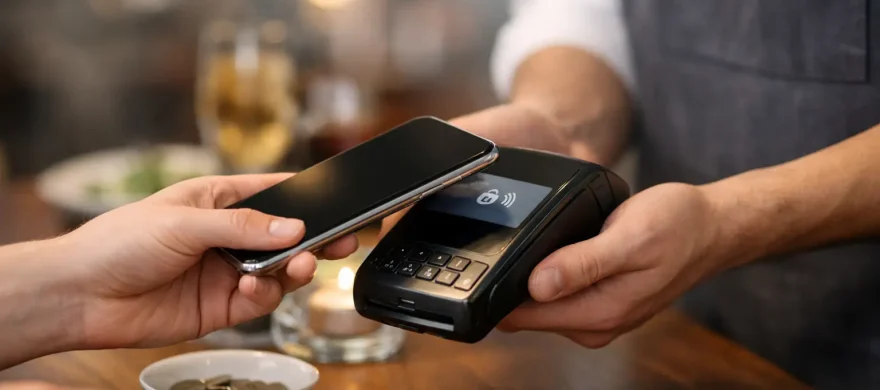
Contactless Tipping for Restaurants That Works
August 6th, 2026
A guest finishes lunch, pulls out a phone instead of a wallet, and pays before the check presenter ever reaches the table. That moment is why contactless tipping for restaurants deserves more attention than a simple QR code or a new button on the checkout screen. Done well, it gives guests an easy way to recognize good service while helping restaurants protect tip income and keep payment moving.
Done poorly, it can feel awkward, create staff confusion, or add another monthly payment tool that does not fit the way your restaurant operates. The goal is not to add technology for its own sake. It is to make payment and tipping easier for guests, easier for employees, and easier for management to track.
Why tipping behavior is changing
Cash is no longer the reliable fallback it once was. Many guests carry little or no cash, even when they want to leave something extra for a bartender, server, counter employee, or delivery runner. At the same time, guests have become used to tapping a card, using a digital wallet, and seeing gratuity prompts at nearly every kind of checkout.
For full-service restaurants, contactless options can support pay-at-table service and reduce the back-and-forth of handling a physical card. For counter-service restaurants, coffee shops, breweries, and fast-casual concepts, a customer-facing POS display can make a tip decision quick and private. The best setup depends on the service model. A busy bar needs speed. A fine-dining room needs a payment experience that feels appropriate to the level of hospitality.
The practical benefit is straightforward: when the payment process makes tipping available at the right moment, fewer guests miss the opportunity simply because they do not have cash.
Contactless tipping for restaurants starts with the payment flow
The word contactless covers several different experiences. A guest may tap a card or mobile wallet on a terminal, pay from a handheld device at the table, use a QR code to open a digital check, or complete an order and gratuity prompt through an online ordering system. These are not interchangeable solutions.
A counter-service location may get excellent results from a properly configured customer-facing terminal. The guest orders, pays, sees clear tip options, and moves on. There is no need to introduce QR codes if the existing POS flow is already fast and familiar.
A full-service restaurant may benefit more from handheld payment devices. Servers can close the check at the table, guests can tap or use a phone, and the tip selection happens as part of the same transaction. That can improve table turns without making the experience feel rushed.
QR-code payment can be useful when guests want more control or when a restaurant has a high-volume patio, food hall, or bar environment. But it is not automatically better. Some customers are hesitant to scan codes, especially if the page looks unfamiliar or asks for too much information. If you use QR payments, the process needs to be branded clearly, secure, and simple enough to complete in a few taps.
Tip prompts need to feel fair, not forced
Restaurant operators should set tip prompts deliberately. A default screen can influence guest behavior, but an overly aggressive prompt can damage the goodwill your staff worked to create.
Start with options that fit your format and average check size. Counter service and full service often call for different percentages. A guest picking up a muffin has a different expectation than a guest who received table service for an hour. Dollar-based options may work better for lower-ticket transactions, while percentage options are more natural for seated dining.
The language and screen order matter, too. Make it clear that tipping is optional. Include a no-tip option without hiding it, and avoid confusing screens that make guests wonder whether a service charge has already been included. If your restaurant uses automatic gratuity for large parties, clearly identify it on the check and configure the POS so guests are not unintentionally prompted to tip twice.
This is not just a customer-experience issue. It is a staff-trust issue. Employees need to know that management has chosen a reasonable approach designed to support tips without putting them in an uncomfortable position.
Service charges and tips are not the same thing
A mandatory service charge and a voluntary tip can have different tax, payroll, and distribution treatment. Do not assume a service fee can simply be handled like a tip pool. Before changing your setup, review your policy with your accountant, payroll provider, and legal advisor.
Your POS should also separate these amounts clearly in reporting. When the numbers are blended together, managers spend more time correcting reports, employees have more questions about payouts, and payroll becomes harder than it needs to be.
The real operational questions to answer first
Before choosing a contactless tipping tool, look at how your restaurant actually runs during a Friday night rush. Where does payment slow down? Who handles the device? When are tips finalized? How quickly do employees receive their money?
A good system should work with your current POS, menu structure, employee permissions, and payment processor. If it requires staff to open a separate app, manually reconcile checks, or explain a complicated payment page to every guest, it may create more friction than it removes.
There are four areas worth reviewing before implementation:
- Guest experience: Is the payment method fast, clear, and appropriate for your service style?
- Staff workflow: Can employees learn it quickly without slowing service or creating tip disputes?
- Reporting and payouts: Can managers see tips by employee, shift, location, and payment type?
- Processing costs: What are the hardware, software, gateway, and transaction costs, and how do they compare with your current setup?
The lowest advertised price is not always the lowest total cost. A system with inexpensive hardware can become costly through added software subscriptions, separate digital-ordering fees, or a processor rate that is difficult to understand. Review the full monthly picture before signing anything.
Train employees on the words, not just the buttons
Staff training should cover more than how to hand over a device. Employees should understand when to present payment, what guests will see, how to respond if a guest has a question, and what to do if a transaction fails.
The best staff language is neutral. A server can say, “Whenever you’re ready, you can tap or use your card right here.” There is no need to point out the tip screen or pressure the guest. The device should do its job without turning a normal payment moment into an uncomfortable conversation.
Managers also need a clear policy for refunds, voids, adjusted tips, chargebacks, and end-of-shift review. Contactless payment can reduce handling time, but it does not remove the need for controls. Set permissions carefully so only authorized employees can alter completed transactions or issue refunds.
Measure results after launch
Do not judge a new tipping method by the first weekend. Give staff time to get comfortable, then compare useful numbers over several weeks. Look at tip participation, average tip percentage, payment time, table turn time where applicable, transaction errors, and guest feedback.
Watch the labor side as closely as the guest side. If staff report that tips are easier to earn and payouts are easier to understand, that is meaningful. If managers are spending extra hours resolving settlement issues, the system needs adjustment.
It also helps to compare payment processing statements before and after rollout. A contactless option should not quietly bury your restaurant under new fees. The right POS and merchant-services setup gives you visibility into what you are paying and why.
Choose support you can reach when service is busy
Restaurants do not have the luxury of waiting days for an answer when a terminal goes down during dinner. Ask who installs the equipment, who trains the team, and who answers when there is a problem. A provider that understands hospitality should be able to talk through your service flow before recommending hardware or software.
For Denver-area operators, Rocky Mountain Credit Card Processing can help evaluate POS, payment, and processing options based on the way your restaurant serves guests, not a one-size-fits-all package. The right fit may be a customer-facing terminal, handheld devices, or a better configuration of tools you already have.
Contactless tipping should make a good service experience easier to finish, not add another obstacle at the end of the meal. Start with your actual workflow, be transparent with guests and staff, and choose a setup you can support when the restaurant is at its busiest.