
Our Blog
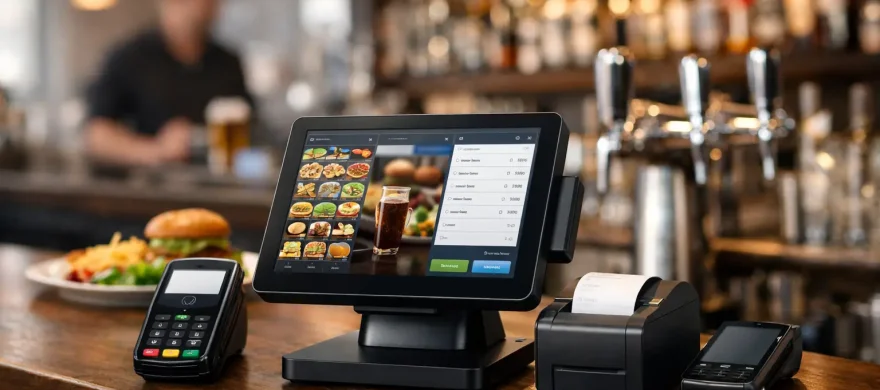
Best POS Systems for Restaurants and Bars
June 7th, 2026
Friday at 7:15 p.m. is a bad time to learn your POS can’t keep up. The server is waiting to split a six-way check, the bar is three tickets deep, and the kitchen printer just stopped talking to the front of house. That is usually when owners start shopping for pos systems for restaurants and bars – not because they want new hardware, but because they are tired of losing time, sales, and patience.
For hospitality businesses, a POS is not just a payment terminal. It is your order flow, your staff workflow, your reporting, and in many cases, the difference between a smooth shift and a long night. The right system makes service faster and training easier. The wrong one creates bottlenecks, confusion, and monthly costs that keep creeping up.
What good POS systems for restaurants and bars actually do
A strong restaurant or bar POS should reduce friction in real service conditions. That means servers can enter orders quickly, bartenders can move fast during rushes, managers can comp or void with the right controls, and owners can see what is selling without pulling reports that take twenty clicks.
In a restaurant, table management, modifiers, split checks, and kitchen communication matter most. In a bar, speed at the terminal, tab management, and simple card handling tend to matter more. Many businesses need both. That is why a generic retail setup often falls short, even if the monthly price looks attractive at first.
The best systems also help with the less visible parts of the job. They track labor, tie sales back to staff, support tip adjustments, and make inventory oversight easier. None of that is glamorous, but it is where operators usually feel the payoff.
Start with your service model, not the sales demo
Most POS mistakes happen before installation. An owner sees a polished demo, likes the touchscreen, and signs before asking how the system works on a packed Saturday night.
A better approach is to start with your actual operation. A quick-service restaurant has different needs than a full-service concept. A neighborhood bar with heavy late-night volume is different from a brewery with tabs, food runners, and merchandise. If you run multiple revenue streams, your POS needs to support all of them without turning every transaction into a workaround.
Ask simple questions first. How many terminals do you need during a rush? Do you need handhelds for tableside ordering? How often do you split checks? Do you rely on online ordering? Do you need open tabs with pre-authorizations at the bar? Can managers update menus without calling support every time?
Those questions get you closer to the right fit than a feature sheet ever will.
The features that matter most in restaurants and bars
Not every business needs every feature, but a few capabilities tend to separate useful systems from expensive headaches.
Fast order entry is near the top. Buttons should be easy to find, modifiers should make sense, and the layout should match how staff actually work. If entering one burger with no onion, add bacon, and sub salad takes too long, staff will feel it all shift.
Check management is just as important. Restaurants need clean split-check options, partial payments, and easy tip handling. Bars need dependable tab management and quick card retrieval at closeout. If your staff has to stop and think through basic payment tasks, lines get longer and mistakes increase.
Kitchen and bar communication also matter. A POS should route tickets correctly, print clearly, and avoid forcing staff to repeat orders verbally because the system is unreliable. For operators with multiple stations, timing and routing can have a direct effect on ticket times.
Reporting needs to be practical, not just impressive in a demo. Sales by item, server performance, voids, comps, discounts, and hourly trends should be easy to access. Owners do not need fifty dashboard widgets. They need answers they can use.
Inventory tools can be valuable, but this is where it depends. Some operators need deep ingredient-level inventory and recipe costing. Others just need enough visibility to catch shrinkage and track top movers. Paying for advanced inventory features you will never use is common, especially with all-in-one systems.
Watch the processing costs, not just the software price
A low monthly software fee can distract from the bigger number on your statement. For many restaurants and bars, payment processing costs outweigh the software subscription by a wide margin over time.
That is why POS selection should never be separated from processing review. Some systems are tied to one processor. Others offer more flexibility. Some make hardware look affordable while locking you into fee structures that cost more month after month.
Owners should look at the full picture: software fees, hardware costs, installation, payment processing rates, chargeback support, gateway fees, PCI fees, and any penalties for switching later. A cheaper-looking system can become the more expensive one very quickly.
This is also where outside guidance helps. A provider that understands both POS operations and merchant processing can spot cost issues that a software rep will not bring up on their own.
Support matters more than most owners expect
No one cares about support until something breaks during service. Then it becomes the only feature that matters.
For restaurants and bars, support should be practical and available when hospitality businesses actually operate. That means nights, weekends, and real implementation help – not just a help center article and a support queue. If staff turnover is high, training support matters too. A system is only as good as your team’s ability to use it confidently.
This is one reason local and hands-on service still matters. If you are in Denver and your bar POS is down before a weekend event, talking to someone who understands hospitality and can help quickly is worth more than a slick national brand campaign.
Rocky Mountain Credit Card Processing works with operators who are tired of being sold a system and then left alone with setup, training, and billing issues. That hands-on piece is often what turns a decent system into a successful rollout.
Common mistakes when choosing a POS
The first mistake is buying based on brand recognition alone. Popular does not always mean right for your floor plan, menu complexity, or staffing model.
The second is overbuying. Many operators end up paying for modules they never use, from advanced loyalty features to enterprise-level reporting that adds cost without improving daily service. More software is not always better.
The third is underestimating the rollout. Even good POS systems for restaurants and bars can fail if menus are built poorly, printers are placed badly, staff are rushed through training, or opening procedures are unclear. Implementation is not an afterthought. It is part of the product.
The fourth is ignoring contract terms. Owners should know what happens if service disappoints, fees increase, or the business changes direction. Flexibility matters, especially for growing hospitality businesses.
How to evaluate a system before you commit
Do not just ask for a demo. Ask for a workflow review based on your actual operation. Walk through a busy dinner shift, a happy hour rush, a tab-heavy Friday night, and a large party splitting checks. Have them show exactly how the system handles each one.
Look closely at the setup process. Who installs it? Who loads the menu? Who trains the staff? Who picks up the phone if the kitchen printer fails? These are not small details. They are part of the total value.
You should also review your current statements alongside any POS proposal. If the new system improves speed but raises your overall processing expense, the gain may not be worth it. On the other hand, if the right setup improves throughput and lowers monthly costs, that is where real return shows up.
Finally, think one year ahead. If you add a patio, launch online ordering, expand to a second location, or shift toward more bar sales, will the system still fit? The best choice is not always the one with the most features today. It is the one that can support how you actually plan to operate.
The right POS should make the shift easier
Restaurant and bar owners already deal with enough variables – staffing, food costs, rising fees, and customers who expect quick service every time. Your POS should take pressure off the operation, not add another layer of frustration.
A good system helps staff move faster, helps managers stay in control, and helps owners understand where money is being made or lost. Just as important, it comes with support that does not disappear after the contract is signed.
If you are evaluating options, focus less on flashy features and more on fit. The best POS is the one that works the way your business works, keeps costs in line, and holds up when the room is full.