
Our Blog
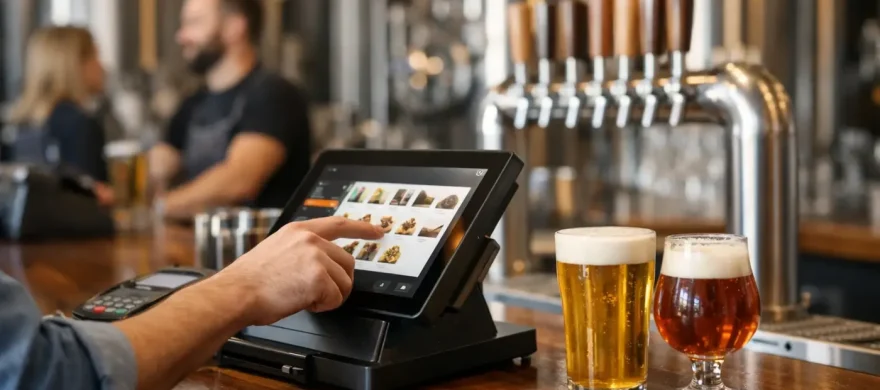
12 Best Brewery POS Features That Pay Off
September 1st, 2026
A Saturday taproom rush exposes every weakness in a brewery POS system. If bartenders are hunting through screens, tabs are getting lost, or your inventory count does not match the cooler, the problem is not just technology. It is slower service, frustrated staff, and revenue slipping through the cracks. The best brewery POS features help a busy taproom move beer, food, merchandise, and memberships without making daily management harder.
For most independent breweries, the right system is not the one with the longest feature list. It is the one that fits the way you sell, gives you reliable payment processing, and comes with real support when something needs attention. Here are the features worth prioritizing before you commit to new hardware, software, or a processing agreement.
Best Brewery POS Features for Taproom Operations
1. Fast, simple order entry
A taproom POS should let a bartender start an order, add a pint, switch a modifier, split a check, and take payment with very few touches. That sounds basic, but it is where many general-purpose systems create unnecessary friction.
Look for an interface that makes common beer sizes, flight pours, food items, and merchandise easy to find. Your highest-volume items should be visible immediately, not buried in a dozen menus. If you run a kitchen, the system also needs to route food orders clearly to the right printer or kitchen display without slowing down bar service.
Ask to see the system during a realistic transaction: a flight, two food items, a T-shirt, a gift card, and separate payment. A polished demo that only rings one pint tells you very little.
2. Tabs, preauthorization, and easy check splitting
Open tabs are standard in taprooms, but they create risk if your POS does not manage them well. The system should securely preauthorize cards, let staff find tabs quickly by name or card, and close them without awkward workarounds at the end of the shift.
Check splitting matters just as much. Groups often share flights, appetizers, and rounds, then want to divide the bill by item or by amount. Staff should be able to handle that request without calling a manager or starting a new transaction. The faster it happens, the more likely guests are to order another round instead of standing at the bar waiting.
3. Inventory built around pours, packages, and recipes
A brewery does not sell inventory the same way a typical retail store does. You may sell the same beer as a draft pint, flight pour, crowler, four-pack, keg, or special-release can. A useful POS connects those sales to the correct inventory deduction.
For draft beer, decide how precise you need the system to be. Some operators only need a practical count of kegs and packages on hand. Others want pour-cost reporting, low-keg alerts, and variance tracking to identify overpours, waste, or recording errors. More detailed inventory tools can be valuable, but only if someone will keep the data current.
The key question is whether the system can account for how your taproom actually sells product. If it treats every beer sale like a generic SKU, you may still be relying on spreadsheets and manual counts after closing.
4. Flight and sample management
Flights can be profitable, memorable, and surprisingly complicated to ring in. Your POS should allow staff to build a flight from eligible beers, apply the right pricing, and prevent accidental selection of limited pours or higher-cost releases unless you allow them.
This feature is especially helpful when your draft board changes frequently. It gives new bartenders guardrails and reduces the chance that staff charge the wrong amount. It can also produce cleaner sales reporting by showing which beers are performing well in full pours versus flights or samples.
5. Reliable payment processing with clear costs
Your POS and payment processing are closely connected, even when vendors present them as separate decisions. A system that looks inexpensive upfront can become costly through higher processing rates, equipment leases, gateway charges, PCI fees, or restrictive contracts.
You need current payment options: EMV chip cards, tap-to-pay, mobile wallets, and customer-facing prompts for tips and receipts. But you also need a clear explanation of what each transaction costs and who supports the account when a funding or authorization issue comes up.
Review your monthly merchant statements before changing systems. Rates, fees, and contract terms should be evaluated alongside POS features, not after installation. For a high-volume taproom, even a small difference in effective processing cost can add up over a year.
6. Tipping controls that work for your team
A customer-facing display can make tipping easier, but the setup needs to match your service model. Counter service, table service, and event service may call for different suggested tip options. The screen should be quick for guests to use without making the interaction feel uncomfortable.
Behind the scenes, managers need dependable tip reporting and a clean method for tracking cash, credit card tips, and tip pools. If you distribute tips by hours worked, sales, or role, confirm that the POS can support the reports your bookkeeper and payroll process require. A system that collects tips but creates hours of reconciliation is not saving anyone time.
7. Flexible menus for food, events, and seasonal releases
Breweries change quickly. A new beer release, food truck partnership, trivia night, ticketed event, or holiday bundle can require menu updates with little notice. The right POS makes those changes easy for a manager to handle or gives you a support team that can make them promptly.
You should be able to turn items on and off, schedule happy-hour pricing, add modifiers, and create bundles without rebuilding your entire menu. If you operate multiple service areas, such as a main bar, patio, private event room, and merchandise counter, make sure each area can use the same item database while maintaining the workflow it needs.
8. Gift cards, loyalty, and house accounts
Gift cards are a practical revenue tool for breweries, particularly around holidays and special releases. A POS should sell physical and digital gift cards, check balances quickly, and keep redemptions from becoming a manual headache.
Loyalty programs can be useful too, but only when they fit your customer base. A simple program that rewards repeat visits may work well for a neighborhood taproom. A more elaborate setup may not be worth the staff time if most traffic comes from tourists or occasional event guests.
If you offer mug clubs, memberships, employee tabs, or local business house accounts, ask whether the system can manage them cleanly. Workarounds involving handwritten lists usually fail when the taproom gets busy.
9. Reporting that answers operational questions
Good POS reporting should help you make decisions, not bury you in dashboards. At minimum, you should be able to see sales by beer, category, time of day, employee, location, and payment type. You should also be able to compare sales periods without exporting multiple reports into a spreadsheet.
The most useful reports often answer straightforward questions: Which beers are moving? When do we need more staff? Are food sales increasing average ticket size? Which events brought in guests who returned? Is a discount helping or simply giving away margin?
Be careful with reporting promises. Some platforms offer extensive analytics, but the information may be difficult to configure or only available in higher-priced plans. Ask for reports that match your decisions, not a generic tour of charts.
10. Offline capability and dependable hardware
Internet outages happen. A POS with an offline mode can keep orders moving when connectivity drops, then process eligible card transactions once service returns. There are limits and risks to offline payment acceptance, so make sure your team understands the policy and approval settings.
Hardware matters too. A crowded bar needs durable terminals, reliable receipt printers if you use them, and a cash drawer that integrates properly. Consider where devices will sit, whether screens can handle spills, and how staff will charge or secure handheld units. Cheap hardware that fails on a Friday night is expensive in the ways that count.
11. Permissions, void controls, and shift accountability
Not every employee needs access to discounts, refunds, cash drawer functions, or sales reports. Role-based permissions help protect the business while keeping normal order entry simple for staff.
Look for clear reporting around voids, comps, refunds, deleted items, and no-sale drawer opens. These controls are not about treating staff with suspicion. They give managers a consistent record, make training easier, and help identify process problems before they become costly habits.
Individual employee logins are better than a shared bar code or passcode. When every transaction is tied to a user, shift review becomes far more useful.
12. Installation, training, and reachable support
The feature that gets overlooked most often is support. A brewery POS can have every tool on this list and still be the wrong choice if the installation is rushed, staff training is thin, or help is hard to reach during service.
Before signing, ask who installs the system, who loads the menu, who trains bartenders and managers, and who answers after-hours questions. Also ask whether you will deal with the company that sold you the system or be routed among software, hardware, and processor support teams.
A local, hands-on partner can make a meaningful difference here. Rocky Mountain Credit Card Processing works with hospitality operators to evaluate POS fit, review processing costs, manage implementation, and remain available after the equipment is on the counter.
Choose the Features You Will Actually Use
There is no single perfect POS for every brewery. A small taproom with a limited food menu may value speed, simple inventory, and low processing costs above advanced kitchen tools. A larger brewpub may need table management, kitchen routing, handheld ordering, and more detailed labor reporting. A production brewery with several taprooms may prioritize multi-location controls and centralized data.
Start with your busiest shift, not a sales presentation. Map how an order moves from guest to bartender to kitchen or bar, then to payment, tip reporting, inventory, and closeout. The gaps in that process will tell you which features deserve your budget. The right system should make a packed taproom feel more manageable, while giving you a clearer view of the money and margin behind every pour.