
Our Blog
Bar POS Installation and Training That Works
August 12th, 2026
A packed Friday night is a bad time to find out that a bar POS system was set up wrong. A missing menu button, a printer routed to the wrong station, or a bartender unsure how to split a tab can turn a fast bar into a line of frustrated guests. Bar POS installation and training is not a final checkbox after buying hardware. It is the work that determines whether your system helps service move or becomes another problem your managers have to solve.
For Denver bars, breweries, restaurants, and hospitality operators, the goal is simple: get the system live without disrupting service, make it easy for staff to use, and make sure payment processing supports the business instead of quietly driving up monthly costs.
Why bar POS installation deserves more planning
A POS system touches nearly every moving part of a bar. Bartenders use it to ring drinks and close tabs. Servers rely on it for table service. Managers use it to track voids, discounts, labor, and inventory. Owners depend on its reports to understand sales and processing costs. If the system is configured around a generic template rather than the way your bar actually operates, small issues add up quickly.
The most common mistake is treating installation as a hardware delivery. Tablets are mounted, card readers are plugged in, and everyone is expected to figure out the rest during a shift. That approach often creates inaccurate modifiers, confusing screen layouts, duplicate menu items, missed printer tickets, and weak permissions. It can also leave the business with payment settings that are not aligned with its processor or its cost-control goals.
A better implementation starts with operational questions. Does your bar run high-volume counter service, tabs with preauthorization, table service, food and beverage, or all of the above? Do cocktails need detailed modifiers? Does the kitchen need separate routing from appetizers to late-night food? Are tip pooling, cash drawers, gift cards, online ordering, or loyalty part of the operation? The answers shape the build.
Select the system around the shift, not the sales pitch
The best POS for a craft cocktail bar may not be the best fit for a brewery taproom or a neighborhood restaurant with a busy patio. More features do not always mean a better result. A system packed with functions your team will never use can create slower screens, harder training, and higher monthly costs.
Before equipment is ordered, define what the business needs on a real shift. Look at the number of stations, expected peak transactions, kitchen workflow, handheld needs, receipt preferences, reporting requirements, and internet reliability. Then compare the total cost, including software, hardware, payment processing, support, and any contract terms.
This is also the right time to review merchant processing. A POS installation can be an opportunity to identify unnecessary fees, confusing rate structures, or equipment arrangements that no longer serve the business. The lowest advertised processing rate is not always the lowest total cost, so a clear statement analysis matters.
What a proper bar POS installation includes
A successful installation happens in stages. It should be planned around the bar’s schedule, preferably with testing completed before a busy service period. There is no benefit to rushing a go-live date if the menu, payments, or printers have not been checked in a live-like setting.
First comes the account and payment setup. The merchant account, gateway, card readers, tax settings, and tip settings need to work together. EMV chip transactions, contactless payments, digital wallets, manual entry rules, refunds, and preauthorization settings should all be verified. Bars that keep tabs open need special attention here, because a poor preauthorization workflow can cause declined cards, lost authorizations, or avoidable confusion at closeout.
Next comes menu configuration. This is where many installations either save staff time or waste it. Categories should match how bartenders think during service. Popular drinks should be easy to reach. Modifier groups should be clear and limited to what staff actually need. Happy hour pricing, pour sizes, add-ons, food items, and tax treatment must be tested instead of assumed.
Then comes hardware and station setup. That includes terminals, handhelds, cash drawers, receipt printers, kitchen printers or display screens, routers, and backup procedures for an internet outage. Every device needs a purpose and a tested connection. A receipt printer that works at noon but drops tickets during a high-volume rush is not ready for service.
Finally, permissions and reporting should be configured before employees begin using the system. Bartenders, servers, leads, managers, and owners should not all have the same access. Controls around voids, discounts, refunds, cash drawer activity, and time edits help protect the business while keeping routine service tasks simple.
Bar POS training should be built for real service
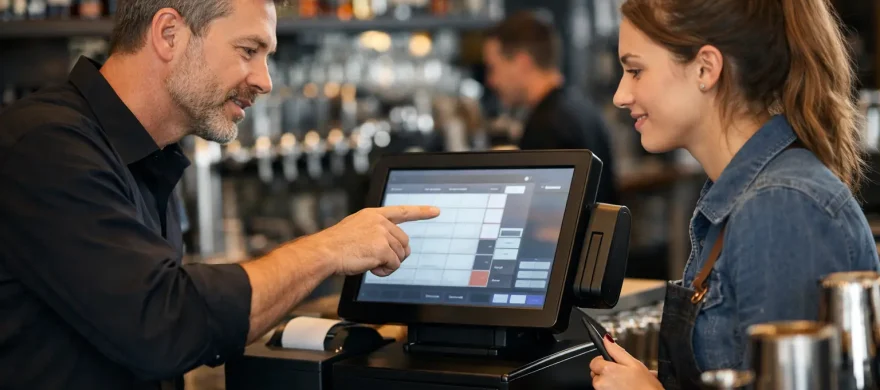
Training is where an otherwise solid POS setup can fail. A quick walkthrough of the home screen is not enough. Staff need to practice the transactions that create delays and mistakes when a line is out the door.
Good training is role-based. A bartender needs speed with opening tabs, adding modifiers, transferring checks, splitting payments, applying discounts, closing a tab, and handling a declined card. A server may need table management, coursing, seat positions, and payment at the table. A manager needs to know how to correct an error without creating reporting problems or giving every employee access to sensitive functions.
Training should also reflect the bar’s actual policies. If guests can leave a card to start a tab, staff need a consistent way to explain the process. If the business adds automatic gratuity for certain parties or events, employees need to know when and how it applies. If employees share tips or work multiple roles, the team needs clarity on clock-ins, checkout procedures, and end-of-shift reports.
Practice the situations that cause problems
Instead of asking staff to memorize every feature, run short practice scenarios. Let them open a tab, add a drink with a modifier, move an item to another check, split a bill three ways, apply a manager-approved comp, and close a payment with a digital wallet. Then have them handle the less frequent but important situations: a card declined after drinks have been served, a printer stops working, a guest wants a partial refund, or the internet connection drops.
This approach shows where the configuration needs adjustment. If every bartender pauses to find a common cocktail or asks for help splitting a tab, the problem may be the screen design, not the employee. The POS should fit the workflow whenever possible.
The first week after go-live matters most
Even a well-planned launch needs follow-up. Owners and managers should review the first few days of transactions, open tabs, tips, voids, discounts, printer routing, and daily closeouts. Small problems are easiest to correct early, before staff build workarounds that are hard to undo.
Assign one manager or lead as the internal point person, but do not leave that person without outside support. They should know who to call for a payment issue, a hardware issue, a menu change, or a reporting question. When support is slow or unfamiliar with hospitality operations, a minor issue can cost a busy bar an entire shift of revenue and goodwill.
Ongoing support also matters when the business changes. New seasonal menus, patio service, a second bar station, events, gift cards, or expanded online ordering can all require updates. A provider should be able to help the system evolve without forcing the owner to start over or spend hours on hold.
Questions to ask before scheduling installation
Before committing to a provider or a go-live date, get direct answers to these questions:
- Who will configure the menu, taxes, tips, and employee permissions?
- Will payment devices, printers, and handhelds be tested before service?
- How is staff training handled for bartenders, servers, and managers?
- What local or live support is available on launch day and after hours?
- Can the provider review processing statements and explain total monthly costs?
- What happens if the internet goes down or a payment device fails?
Clear answers prevent the unpleasant surprise of discovering that installation, training, or support costs extra after contracts are signed.
Rocky Mountain Credit Card Processing helps hospitality operators evaluate the right POS fit, install it around their workflow, train their teams, and review processing costs with the same practical focus. The point is not to sell the most complicated system. It is to give your staff tools they can use confidently while you maintain better control over service and expenses.
A bar POS should fade into the background during a busy shift. If your team can ring accurately, take payments quickly, solve small problems without panic, and close out cleanly, the system is doing its job. That is the standard worth setting before the first guest walks in.