
Our Blog
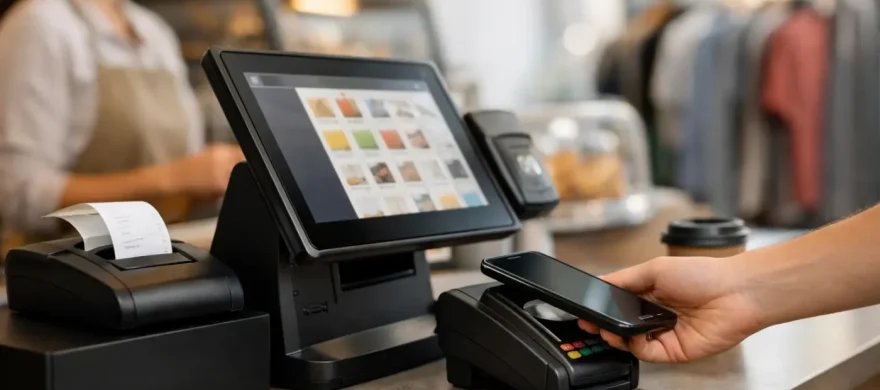
POS Systems That Keep Your Business Moving
September 11th, 2026
Friday dinner service is not the time to find out your terminals are slow, an order modifier is missing, or a manager has no idea why the card processing bill jumped again. The right POS systems keep orders, payments, staff, and reporting moving together when your business is at its busiest.
For a restaurant, bar, brewery, or retail store, a point-of-sale system is not just the screen at the counter. It is part of the daily operating rhythm. It affects how quickly guests are served, how easily employees learn their jobs, how accurately inventory is tracked, and how much payment processing costs each month. A poor fit creates friction in every one of those areas. A well-chosen system removes it.
A POS System Should Solve Real Operating Problems
Many business owners inherit a POS system when they buy a business, accept the first package offered by a processor, or choose software based on a low introductory price. That can work for a while. Then the real problems appear: confusing workflows, limited reporting, expensive add-ons, unreliable hardware, and support that routes a busy manager through a call center.
The goal is not to buy the system with the longest feature list. The goal is to put a system in place that fits the way your business actually operates.
A fast-casual restaurant may need easy order routing, kitchen display screens, online ordering, tip management, and quick counter payments. A full-service restaurant may need table mapping, split checks, seat-level ordering, handheld devices, and menu controls for frequent changes. A bar needs tabs that are simple to start, transfer, and close during a rush. A retail store may care more about barcode scanning, inventory counts, employee permissions, and customer purchase history.
Those needs are different, and the setup should be different too. Forcing every business into the same platform usually leads to staff workarounds, wasted time, and a system nobody fully trusts.
Where the Right POS Systems Pay Off
The best return on a POS investment is often found in small operational improvements that happen hundreds of times a day. A server closes a check without walking back to a stationary terminal. A cashier handles a return without calling a manager. A kitchen receives a clear ticket without handwritten notes. A manager sees which items are selling before placing the next order.
Those gains matter because speed and accuracy affect revenue. Shorter lines can mean more transactions. Faster table turns can mean more covers. Better modifier controls can reduce remakes and comped meals. Clear labor and sales reporting can help managers make decisions before a problem becomes an expensive trend.
Payment acceptance is another major piece of the equation. Customers expect to tap a card, use a mobile wallet, split a check, receive a digital receipt, or pay from a handheld device. A modern setup should support those preferences without making the checkout process harder for staff.
That does not mean every business needs every payment feature. Adding tools that employees will not use creates cost and confusion. The right question is simple: will this feature make a meaningful difference in speed, guest experience, control, or reporting?
Start With Your Workflow, Not the Hardware
A countertop terminal can look impressive in a demo. It will not help if it does not support your order flow during a packed shift. Before selecting hardware or software, map out what happens from the moment a customer places an order to the moment the transaction is settled.
Consider where orders begin, where they need to go, who can adjust them, and how payment is collected. Look at the exceptions too. How does the team handle a split check, a void, a refund, a discounted item, an out-of-stock product, or a shift change? The details are where many systems either earn their place or create daily frustration.
For hospitality operators, it also helps to involve the people who use the system most. A general manager may focus on reports and permissions. Servers may care about speed and check management. Kitchen staff may need tickets that are easy to read. Owners need confidence that the numbers are accurate and that payment costs are under control.
A practical POS recommendation accounts for all of those perspectives. It should also leave room for growth, whether that means adding another station, opening a patio, launching online ordering, or expanding to a second location.
Questions worth asking before you commit
Ask a prospective provider how the system handles your busiest hour, not just a normal transaction. Find out whether support is available when your team is actually working. Confirm what is included in the quoted monthly price and what costs extra, including software modules, hardware warranties, PCI-related fees, gateway fees, and payment processing.
Also ask whether you can access your sales and customer data if you change providers later. A low monthly software price can become costly if the agreement locks you into high processing rates or makes it difficult to move your business.
Processing Costs Belong in the POS Conversation
A POS system and credit card processing are closely connected, but they are not the same thing. Merchants often focus on the system interface and overlook the cost of taking payments through it. That is how a convenient setup can turn into an expensive monthly statement.
Processing statements can be difficult to read, especially when they include a mix of interchange, assessments, processor markup, compliance fees, batch fees, gateway fees, and equipment charges. The important point is not that every fee is avoidable. Card networks set certain costs. The question is whether the pricing structure is transparent and appropriate for your sales volume, card mix, and business type.
Restaurants and bars, for example, may have a high volume of card-present transactions and tips. Retailers may see a different mix of debit cards, rewards cards, and online payments. A processor should review those patterns rather than offering a generic rate that sounds attractive but does not reflect the effective cost of accepting payments.
The POS platform should make reconciliation easier as well. Sales reports, tips, refunds, deposits, and settlement information need to line up clearly. When they do not, owners and bookkeepers lose hours chasing discrepancies that should be easy to identify.
Installation and Training Are Part of the Product
Even a good POS system can fail if it is installed poorly. Hardware needs to be configured, menu items and modifiers need to be built correctly, payment devices need to be tested, and staff need a clear path for using the system before opening day or a busy weekend.
This is where hands-on service matters. A business should not be left with a box of equipment, a login, and a help-center article. The implementation process should include an organized setup, testing in the real environment, and training tailored to the roles on your team.
Training does not have to be lengthy to be effective. It should focus on the tasks employees perform most often, along with the few exceptions that can cause the biggest delays. Managers should know how to update menus, run reports, manage permissions, and troubleshoot common issues. Front-line staff should know how to take orders and payments confidently without searching through unnecessary screens.
After launch, support still matters. Menus change. Hardware eventually needs service. New employees need training. A local partner who understands your setup can save a great deal of time compared with explaining your operation to a different support agent every time you call.
Avoid the Common POS Mistakes
The cheapest monthly offer is not always the lowest-cost choice. Some systems make up for low software pricing through higher processing costs, required add-ons, restrictive contracts, or hardware that cannot be easily reused. On the other hand, paying for an enterprise-level platform with features your business does not need can be just as wasteful.
Another common mistake is changing systems without planning the transition. Menu data, inventory, employee access, gift cards, and customer information may all need attention. A rushed conversion can disrupt service and create frustration for staff and guests. A thoughtful rollout minimizes downtime and gives employees time to build confidence before the system is put under pressure.
Finally, do not assume a familiar brand is automatically the right answer. The best platform depends on your workflow, budget, processing needs, support expectations, and plans for growth. A restaurant with table service has different priorities than a brewery taproom or a neighborhood retail shop.
Choose a Partner Who Will Stay Involved
Selecting a POS system is a business decision, not just a technology purchase. You need clear pricing, equipment that works when it matters, and someone who can explain the trade-offs without burying you in jargon.
Rocky Mountain Credit Card Processing helps Denver-area businesses evaluate POS options, review processing costs, install equipment, and train staff around the way they actually work. The point is not to sell more technology. It is to reduce avoidable expense and make daily operations easier.
Your POS should let your team focus on guests, products, and service instead of workarounds, surprise fees, and support tickets. If it is not doing that, it is worth taking a closer look before the next busy shift exposes the problem again.