
Our Blog
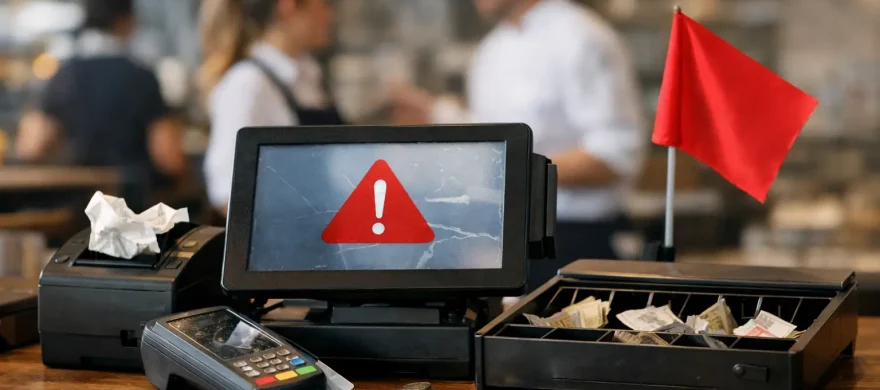
Worst Restaurant POS Systems and Red Flags
June 9th, 2026
A bad POS system usually does not fail during a demo. It fails on a Friday night when the bar is three deep, a server cannot split a check, the kitchen printer skips a ticket, and nobody can get support on the phone. That is why talking about the worst restaurant POS systems matters. For most operators, the real problem is not one dramatic breakdown. It is the steady drag of slow service, training headaches, surprise fees, and lost revenue.
If you run a restaurant, bar, brewery, or quick-service concept, you do not need a flashy tablet setup with big promises. You need a system that fits your floor, your staff, your menu, and your margins. The worst systems tend to look polished at first. Then they create friction where you can least afford it – at checkout, in the kitchen, and on your monthly statement.
What makes the worst restaurant POS systems so costly
The worst restaurant POS systems are not always the ones with the oldest hardware or the least recognizable brand name. They are the systems that create expensive problems in daily operations. Some slow down order entry. Some lock you into processing rates that keep climbing. Others make simple tasks feel harder than they should be, which means more mistakes, more voids, more manager involvement, and more unhappy guests.
For a busy restaurant, every extra tap matters. Every moment a server spends fighting the screen is time away from tables. Every report that is hard to pull delays decisions on labor, inventory, and menu performance. If support is weak, small issues become long shifts.
This is where many operators get burned. They shop for features, not fit. They get sold on what a system can do in theory, not how it will perform in their real service environment.
The red flags to watch before you sign
The first red flag is a confusing pricing structure. If the quote looks light but the monthly bill grows with software add-ons, support charges, hardware leases, payment gateway fees, PCI fees, and processing markups, you are not getting a deal. You are getting boxed into a system that becomes more expensive over time.
The second red flag is poor restaurant workflow. A POS can look modern and still be a bad fit for hospitality. If it struggles with modifiers, seat positions, split checks, happy hour pricing, bar tabs, online ordering sync, or kitchen routing, it is going to create daily frustration. Restaurants are not generic retail counters. They need restaurant-specific logic.
The third red flag is weak support. This one gets overlooked until something breaks. If help is only available by chat, if hold times are long, or if support agents do not understand hospitality, you will feel it fast. Good support is not a bonus. It is part of the product.
The fourth red flag is hardware that looks sleek but does not hold up in real use. Touchscreens freeze. Printers drop offline. Card readers fail to connect. Tablets move around too easily or need constant charging. Durable hardware is not glamorous, but it matters when your staff is moving fast.
The fifth red flag is limited ownership of your setup. Some providers make it hard to switch processors, add integrations, or customize reports without extra cost. That lack of flexibility can hurt later, especially if your concept grows or your processing rates stop making sense.
Worst restaurant POS systems usually share the same problems
One common problem is overcomplication. Some platforms try to be everything at once – POS, payroll, scheduling, loyalty, inventory, marketing, reservations, accounting, and more. That can sound efficient, but bundled software often comes with trade-offs. If the core POS experience is clunky, all those extras do not help much.
Another common issue is poor onboarding. A system might technically have the features you need, but if installation is rushed and staff training is shallow, service suffers from day one. Restaurant teams need practical setup, menu programming that makes sense, and training built around actual job roles. Otherwise, the learning curve becomes your problem.
Then there is reporting that looks detailed but is hard to use. Operators need clear answers: what sold, what did not, where discounts are going, how labor lines up with sales, and whether each daypart is performing. If reporting takes too many steps or requires outside help, most teams stop using it. A report nobody uses has no value.
Finally, the worst systems often come with the wrong processing setup attached. This is a major issue because the POS decision and the payment processing decision are tied together more often than merchants realize. You may think you are choosing software, but you are also choosing rate structure, statement complexity, contract terms, and long-term costs.
Why cheap POS systems can be the most expensive
A low monthly price gets attention, especially for independent restaurants watching every dollar. But cheap and affordable are not the same thing. A cheap system can cost more if it creates longer ticket times, inaccurate inventory, repeat training, limited support, or higher payment processing fees hidden elsewhere.
This is where trade-offs matter. A very small counter-service shop may be fine with a simpler setup if the workflow is straightforward and the volume is manageable. A full-service restaurant with a bar, multiple terminals, online orders, and frequent split checks needs more from the system. Using a basic platform in a complex environment almost always creates problems.
The same goes for feature depth. Not every operator needs advanced inventory, handheld ordering, or deep menu engineering reports on day one. But if your business is growing, switching later can be more disruptive than starting with a better-fit system now.
How to evaluate systems without getting sold
Start with your service model, not the sales pitch. Full-service, quick-service, bar service, brewery taproom, and hybrid concepts all have different POS demands. Write down the tasks your team handles every day: split payments, modifiers, coursing, tabs, kitchen routing, delivery orders, tip adjustments, and end-of-day reporting. If a system makes those tasks easier, it is worth a closer look. If it makes them harder, move on.
Ask for a demo based on your actual menu and workflow. Do not settle for a polished generic walkthrough. You want to see how quickly a server can enter a complex order, how a bartender manages tabs, how a manager comps an item, and how tickets print to the right stations. Real scenarios reveal weak systems quickly.
Ask direct questions about support. Who answers after hours? How are hardware failures handled? Is installation included? Who trains your staff? What happens if internet service goes down? The quality of these answers tells you a lot.
You should also review the full cost, not just the software subscription. That means hardware, implementation, accessories, processing rates, gateway charges, support terms, and contract length. If the provider avoids clear pricing, that is your answer.
A better way to choose than chasing brand names
Big-name systems are not automatically better. Smaller platforms are not automatically risky. The right choice depends on fit, support, and total cost over time. A strong POS setup should help your team move faster, reduce mistakes, and give you useful visibility into the business without turning every shift into a troubleshooting session.
For many operators, the best buying decision is not picking a machine off a website. It is working with someone who understands restaurant workflows, payment processing, installation, and training together. That is often where businesses save the most money and avoid the wrong long-term contract.
Rocky Mountain Credit Card Processing works with restaurants and bars that are tired of bloated bills, hard-to-use systems, and support that disappears after the sale. That hands-on approach matters because the right POS is not just about software. It is about how the whole operation runs once the dinner rush hits.
When it is time to replace a bad system
If your team keeps making workarounds, your reports do not help you manage, your hardware fails regularly, or your monthly costs keep creeping up, it is probably time to re-evaluate. The longer a bad system stays in place, the more normal the friction feels. Operators start assuming that slow checkout, ticket errors, and support delays are just part of the business. They are not.
A good POS should feel steady. Staff should learn it quickly. Managers should trust the numbers. Guests should never notice it because service keeps moving.
If you are comparing options, focus less on the sales demo and more on what your next busy shift will look like with that system in place. That is usually where the right decision becomes obvious.